

Windows 7, Law Firms and Truth (?) in Blogging

Two weeks ago, while watching the NFL playoffs, I upgraded the OS on my home laptop (a Lenovo T60p) to Windows 7 Professional from Vista Business.
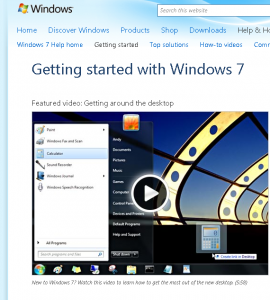
The upgrade went quickly, smoothly, and without a hitch. I haven’t had a problem since. The screen image from the instructional video – which I have yet to need – was captured with the Windows 7 native screen capture tool, called the “Snipping Tool”. It’s very easy to use.
When will I recommend that move at the office, where all of our machines run on Windows XP? Where the common core of all of our Microsfot software does not yet include any flavour of Office 2007 software? Not tomorrow, anyway, but that’s nothing more than a current “don’t fix what ain’t broke” premise when there’s, as yet, no need to begin.
In that vein, the two new laptops I ordered both have Win XP installed and the word processing software will be the Office 2003 suite. Bear in mind that we do not have internal IT support – other than yours truly who’d prefer not to.
Even assuming one’s (computer) hardware is sufficient to run the Win 7 OS effectively, one of the current “inconveniences” in moving from Win XP to Win 7 is that it requires what is called a “clean install”. You can’t just install Win 7 over Win XP, with the installation process saving all of your existing settings. The installation process essentially wipes out what you had so that you will have to reinstall everything: applications and data.
That issue may well be the killer for many firms (law and otherwise) who do not have to upgrade, immediately, on a firm wide basis. This link is to an ABA Journal article that discusses some of the issues involved in the decision to upgrade. The article’s conclusion is:
With Windows 7 there are many positives, but I suspect the compelling reasons for a move (and they are important) will be the end of life of an aging XP and transition away from or avoidance of Vista.
If you plan to stay in the world of Windows, Windows 7 will likely be in your future sooner than later. You will want to do your homework, make a realistic plan and create an environment where success is likely.
When will you do so if technology is part of your mandate, your office runs on a Microsoft platform and the time comes to update?
Now for the relevance of the “truth in blogging (not)” part of the title to this post. Consider this recent review of the ABA article on a “law marketing” blog whose proprietor asserts the sort of claims about successful advice that one would expect from a “law marketing” blog, successful or not. The caption for the post is “Why Windows 7 Will Bomb In Law Firms”. The second reason the blogger provides, including a quotation from the ABA Journal article is:
There is no compelling reason to get Windows 7. “As I researched this article, I actually found it difficult to put together a list of compelling features that might motivate someone to pay money and move,” Kennedy wrote
(emphasis in original)
Now let’s see what Mr. Kennedy wrote, which puts that quotation in context.
However, for most people, Windows XP just worked. There was simply no compelling reason to move, and to this day it is difficult to point to specific features in Vista that would motivate the average user to move from XP.
This “lack of compelling feature” issue might also prove to be a problem for Windows 7. As I researched this article, I actually found it difficult to put together a list of compelling features that might motivate someone to pay money and move.
On the other hand, Windows XP, released in 2001, is nearing its end of life. It’s quite old in operating system years, and it has its own set of issues. For example, instead of getting a cup of coffee the next time you start up XP, take a stopwatch and see how long it takes to fully boot up.
I suggest you read the ABA article for yourself. As to the “law marketing” blogger, well, maybe he is as successful as he claims to be. I have no idea. And less interest in finding out.

Comments are closed.