

Google’s My Maps

There have been various ways to do it before, but now the easiest way to make and mark up a Google map is by using Google itself. A new feature, My Maps, requires you to log into your Gmail account; then when you go to Google Maps, you’ll see a new tab, “My Maps.” Within that tab you’ll be able to create a map of anywhere on the globe and populate it with the usual blue teardrop location identifiers. But now you can edit the popup text field associated with those location identifiers and create 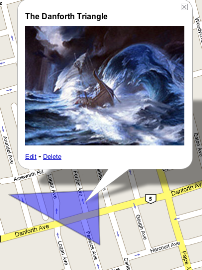 a rich text or HTML entry and insert a graphic or a video. As well, you can draw lines and polygons on your map. There’s a simple help file that should get you started.
You can make your new map public, with the result that it will be indexed by Google and is available through a search; or you can mark it as unlisted, in which case the great Google indexer will leave it alone. I’ve created a very simple map showing the location of Slaw’s core contributors and putting their photos in the various popups. I have to say that I think the one of Mark Lewis can’t be right.
I think this is perfect for that map to the cottage or your place. But I also think that with a bit of inspiration, the map metaphor might lend itself to interesting teaching tools, now that pics and videos are possible. If only one were able to creat maps of imaginary spaces in this way…

I took it out for a spin this morning too. No mashup tools, APIs, etc. It was just simple.
Two thumbs up. :)
Cool!! BTW, I love Mark’s look!
Hee hee–that’s the Jerry Garcia doll. 8-)